About this extension
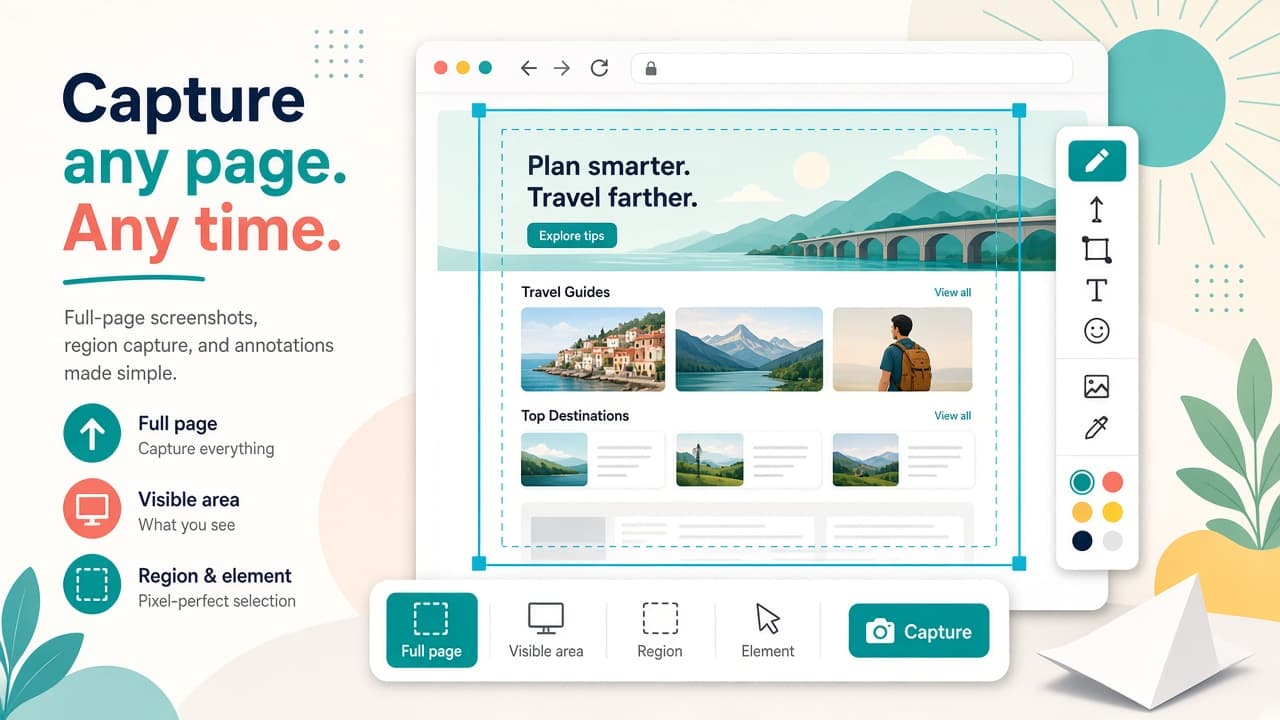
Full Page Screenshot & Screen Recorder - No Watermark by NexRunner Works helps you capture full pages, visible areas, regions, and page elements, then annotate and export everything in a local editor. Record a tab, window, or screen with optional microphone, system audio, and a camera bubble - then export GIF or MP4 without leaving Chrome.
Offered by Runner523 under NexRunner Works branding, the extension keeps captures and recordings on your device in local storage. There is no account wall, no watermark, and no artificial capture limit. Keyboard shortcuts cover visible, region, and full-page capture plus start/stop recording. Screenshot export supports PNG, JPG, WebP, and PDF; recordings export as WebM, with GIF/MP4 workflows called out on the listing. Webcam background blur and on-device captions assets ship for advanced editing. Chrome Web Store snapshot used for this page: version 1.2.2, no ratings yet - always re-check the live listing before you install. Privacy disclosure: the developer states data is not sold to third parties and is not used for unrelated purposes.
Why choose this screenshot and recorder?
- Flexible capture modes: Grab the full page, visible area, a custom region, or specific elements before editing.
- Local annotation editor: Mark up captures on your device and export PNG, JPG, WebP, or PDF without an account.
- Tab and screen recording: Record tab, window, or screen with mic, system audio, and an optional webcam bubble.
- No watermark, no limits: Capture and record freely with local storage - no watermark and no artificial caps called out on the listing.
- Shortcuts and advanced assets: Use hotkeys for capture and recording; webcam blur and captions assets support richer edits.
Install Full Page Screenshot & Screen Recorder from the Chrome Web Store when you need fast local captures and recordings without watermarks. Explore more focus and capture helpers on AddonUp under Productivity & Focus.