Keyboard Click Sounds Chrome extension icon

Keyboard Click Sounds - Just for Fun

Customize typing with keyboard click sounds in Chrome. Fun keypress audio, themes, and effects for every keystroke.

2026
Launched
Verified & Safe to Install
addonup.com/extensions/keyboard-click-sounds
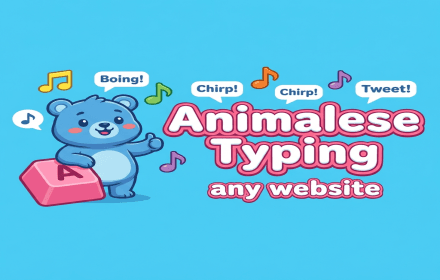
Keyboard Click Sounds promotional banner with typing sound effects tagline

About This Extension

Keyboard Click Sounds makes everyday typing more enjoyable by playing short, satisfying click sounds whenever you press keys in your browser. Pick mechanical, laptop, or minimal presets - or upload your own audio.

Choose from 14 built-in sound presets, fine-tune volume per preset, set an auto schedule, blacklist websites, and track typing stats locally. Sounds play through Chrome offscreen audio with no account required.

Why choose Keyboard Click Sounds?

  • 14 sound presets: Mechanical, laptop, minimal, and more ready-made keyboard sounds.
  • Custom uploads: Add MP3 or WAV clips, trim them, and map audio to keypress events.
  • Smart controls: Auto schedule, website blacklist, excluded modifier keys, and Alt+S toggle.
  • Typing stats: Track keystrokes, estimated WPM, and most-used presets locally.
  • Privacy-first: No account, analytics, or cloud sync - settings stay on your device.

Install Keyboard Click Sounds in Chrome, pick a preset, and make every keystroke feel more tactile and fun.

About Keyboard Click Sounds

What is this extension?

Customize typing with keyboard click sounds in Chrome. Fun keypress audio, themes, and effects for every keystroke.

Key Features

This extension provides a range of features designed to improve your productivity and browsing experience. Whether you're looking to enhance functionality, improve security, or add new capabilities to your browser, Keyboard Click Sounds has you covered.

How to Install

Installing this extension is quick and easy. Simply click the 'Install Extension' button above, and the extension will be added to your browser automatically. You can start using it right away.

All extensions in our collection are safe to install and have been reviewed for quality and security. You can manage your installed extensions through Chrome's extension management page.

Frequently Asked Questions

What is Keyboard Click Sounds?

Customize typing with keyboard click sounds in Chrome. Fun keypress audio, themes, and effects for every keystroke.

Is Keyboard Click Sounds free?

Yes. Keyboard Click Sounds is free to install (price: $0). Use the Install Extension button on https://addonup.com/extensions/keyboard-click-sounds to add it from the Chrome Web Store or Microsoft Edge Add-ons store.

How do I install Keyboard Click Sounds?

Open https://addonup.com/extensions/keyboard-click-sounds, click Install Extension, and confirm in your browser. The extension is added to Chrome or Edge after store approval.

What category is Keyboard Click Sounds in?

Keyboard Click Sounds is listed in the Just for Fun category on AddonUp.