About this extension
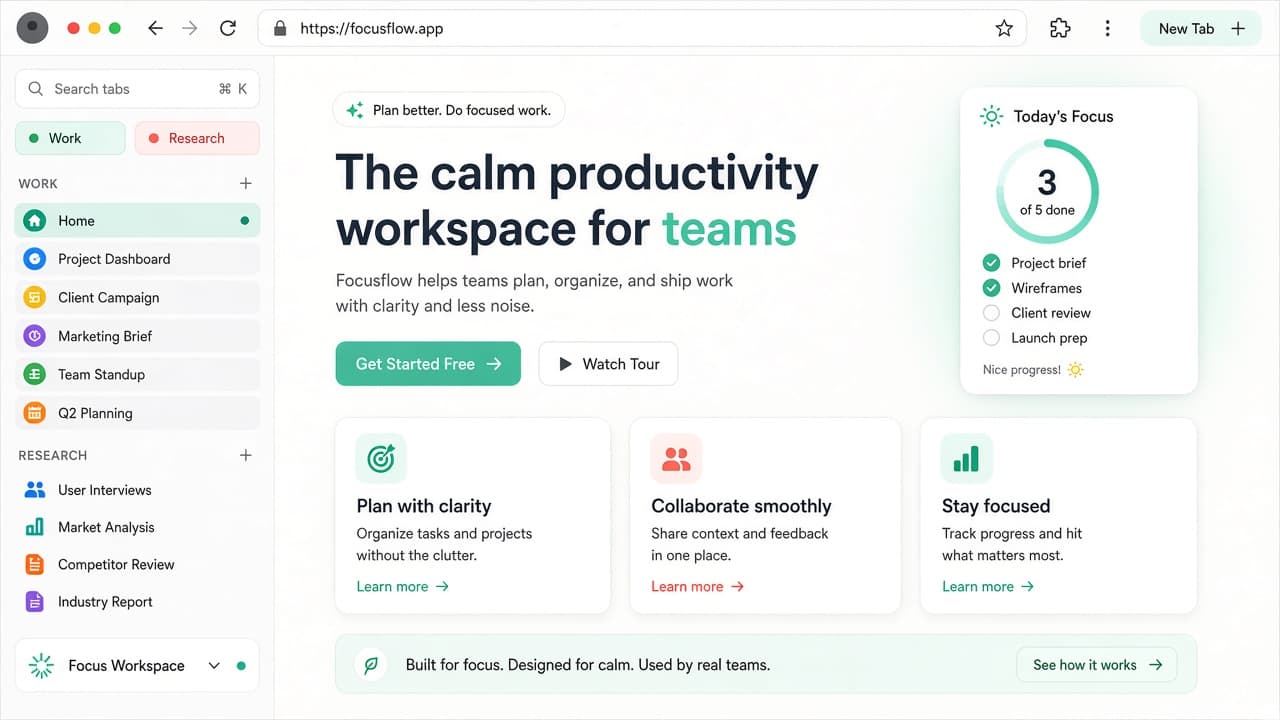
NexTabs - Vertical Tabs, Workspaces & Tab Manager gives Chrome an Arc-style vertical sidebar so you can see, scroll, and switch tabs without drowning in a horizontal strip. Use a side panel or in-page rail, then save workspaces, restore sessions, and jump with Quick Search.
Offered by NexRunner Works, NexTabs focuses on everyday tab chaos: workspaces you can save, switch, export, and import; optional cross-device sync; smart grouping; purge duplicates; lock tabs; Alt+K Quick Search; time-travel rewind; optional custom new tab; and themes. Privacy note from the listing: Chrome storage stays local, sync is opt-in only, and no analytics are claimed. Chrome Web Store snapshot for this page: about 2 users, version 1.0.11, no ratings yet, privacy disclosed as no data collection - always re-check the live listing before you install.
Why choose NexTabs?
- Vertical tabs sidebar: Arc-style side panel or in-page rail with smooth tab scroll so long sessions stay readable.
- Workspaces: Save, switch, export, and import workspace sets when projects or research contexts change.
- Quick Search Alt+K: Command-bar style jump to tabs and actions without hunting through the strip.
- Smart cleanup: Group tabs, purge duplicates, lock important tabs, and rewind sessions with time-travel restore.
- Privacy-minded sync: Data stays in Chrome storage locally; cross-device sync only if you enable it, with no analytics claimed.
Install NexTabs from the Chrome Web Store when you want vertical tabs, workspaces, and a calmer tab manager in Chrome. Explore more focus helpers on AddonUp under Productivity & Focus.