
Web Client icon

Web Client

Используйте неофициальный веб-клиент Instagram для компьютера, чтобы публиковать, просматривать истории и загружать контент прямо из браузера.

Verified & Safe to Install
addonup.com/extensions/web-client-for-instagram
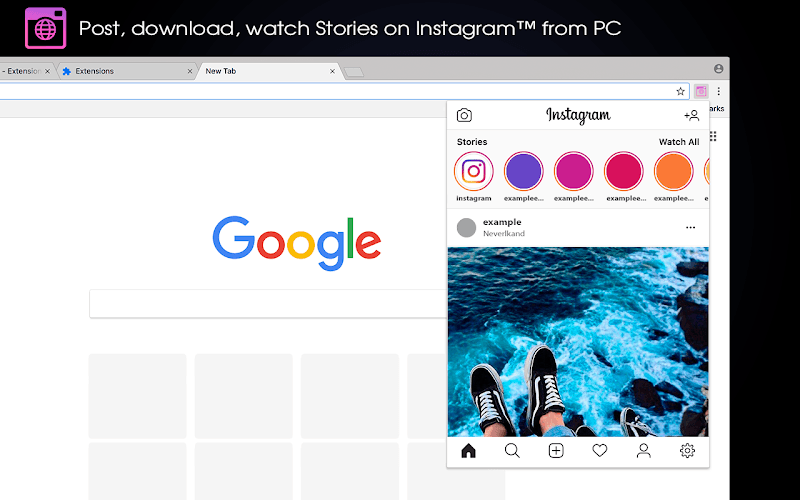
Web Client screenshot

About This Extension

Instagram online in your browser! Open your favorite social network from any site - use Instagram for PC. Instagram webclient window gives you the experience of using a mobile phone, since it has similar proportions as the screen of your smartphone.

The instagram desktop version does not limit you. Do whatever you used to do in mobile instagram app:

  • Watch posts (photo / video),
  • Like,
  • Leave comments,
  • Watch stories,
  • Make posts,
  • Unload your stories,
  • Subscribe,
  • Use the search,
  • Set up an account, etc.

You can also Download Photos and Videos using the special "Download" button.

To do this, just move the mouse cursor to the right corner of the post and click on the appeared "Download".

Enable / Disable this button you can in the extension settings (icon settings in the lower right corner of the extension window).

Instagram viewer is a simple extension for Chrome with which it's fashionable to quickly and easily watch your friends' updates, create your posts, download images and videos from Instagrams and much more.

Web instagram extension allows you to upload files in several formats - JPG, PNG, GIF for images.

Instagram desktop app this is one of the best ways to use instagram on your computer.

More Инструменты Extensions

Discover more extensions from the same category

About Web Client

Что это за расширение?

Используйте неофициальный веб-клиент Instagram для компьютера, чтобы публиковать, просматривать истории и загружать контент прямо из браузера.

Ключевые Функции

This extension provides a range of features designed to improve your productivity and browsing experience. Whether you're looking to enhance functionality, improve security, or add new capabilities to your browser, Web Client has you covered.

Как Установить

Установка этого расширения быстрая и простая. Просто нажмите кнопку 'Установить Расширение' выше, и расширение будет автоматически добавлено в ваш браузер. Вы можете начать использовать его сразу же.

Все расширения в нашей коллекции безопасны для установки и были проверены на качество и безопасность. Вы можете управлять установленными расширениями через страницу управления расширениями Chrome.

Популярные категории: