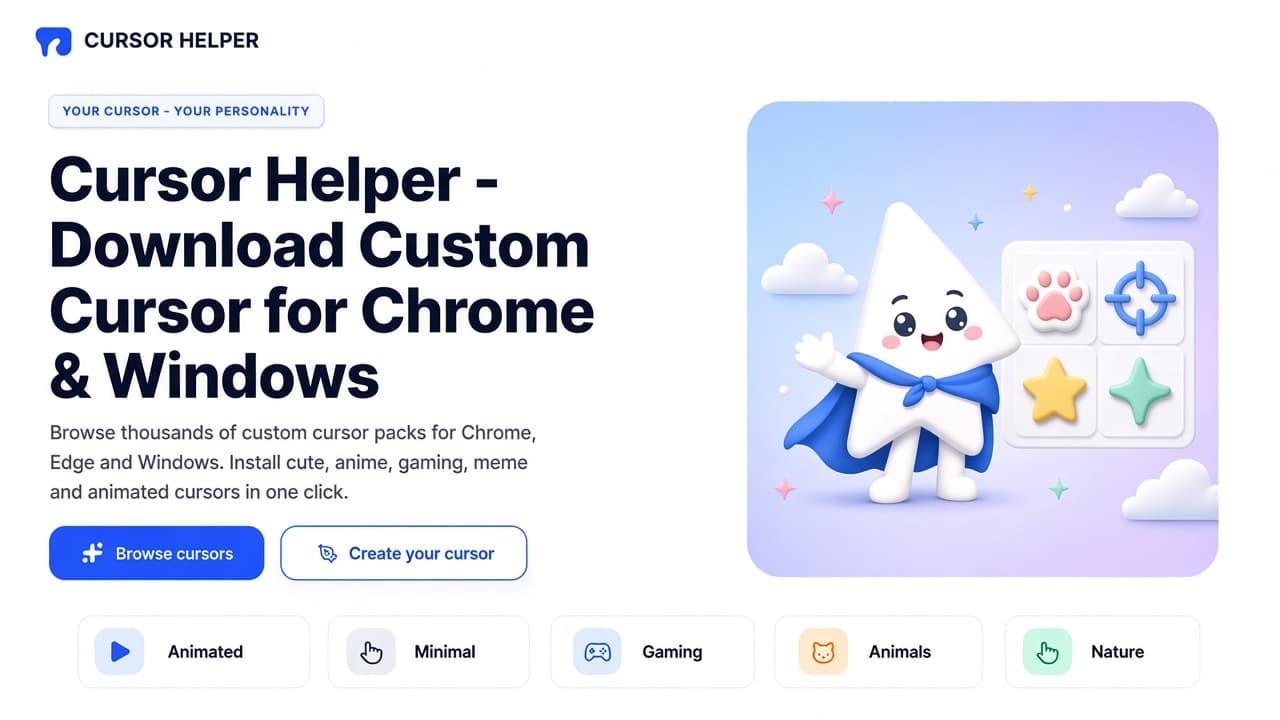
The Cursor Helper website is a full custom-cursor catalog, not only a Chrome Web Store listing. On cursor-helper.com you browse thousands of packs for Chrome, Edge, and Windows, open themed collections, check community Tops, then make a pack in Cursor Creator or mix parts in the Converter (Constructor). The tagline on the homepage is simple: Your cursor - your personality.
This guide walks the live site as of October 2026: Home, Cursors, Tops, Collections, Create Cursor, and Converter. It is a dedicated look at the catalog. For a Chrome-extension-only walkthrough, see Cursor Helper custom cursors for Chrome and the AddonUp page Cursor Helper.
What cursor-helper.com is
The homepage title is Cursor Helper - Download Custom Cursor for Chrome & Windows. The hero copy invites you to browse thousands of custom cursor packs for Chrome, Edge, and Windows, then install cute, anime, gaming, meme, and animated cursors in one click. Primary actions are Browse cursors (the pack grid) and Create your cursor (the Creator). Trust chips on the hero say Easy install, Works everywhere, and Safe.
The site has run since 2017 (footer copyright 2017 - 2026). Navigation is built around the catalog: search for cursors and collections, category shortcuts, new packs, featured collections, community favorites, how-to steps, then download links for the browser add-on and the Windows desktop app. Footer tools list Cursor Creator and Cursor Builder (the Converter / Constructor page).
Browse the catalog and categories
Open All Cursors to explore the library. Packs are presented as cards with an arrow cursor and a matching pointer or character. You can search from the header, follow tags such as halloween, cartoon, or roblox on trending cards, and sort popular packs from the community-favorites area.
Homepage category tiles jump into search filters:
- Animated - lively and dynamic pointers.
- Minimal - stylish, simple shapes.
- Gaming - packs aimed at gamers (browser and desktop pointers, not in-game HUD replacements).
- Animals - cute and fun animal art.
- Nature - leaves, flowers, sky.
- Anime - favorite-character styles, posted as fan art.
The New & Trending Cursor Packs strip on Home highlights fresh designs. When we reviewed the homepage, that row included Halloween-leaning Toca slime and spider packs, cartoon rescue-pup anchors, Roblox-style cubes and mallets, and Studio Ghibli-inspired jellyfish, fire-spirit, and forest-spirit pointers. Treat that row as a snapshot; the catalog rotates.
Collections: 150+ themes in one place
The Collections page billed 150+ Cursor Collections & Themes when we captured it, with on-page stats of 518 collections and 10,128 cursors. Copy on that page says you can browse themed collections for Chrome, Edge, and Windows, then install a collection in one click with the Cursor Helper extension.
Featured collections on Home bundled fandom and aesthetic mixes (for example Bendy-style ink packs, DuckTales mixes, minimal gradient mixes, Crash Bandicoot mixes, and glossy Bubble Arrows). The full directory adds filters: All Collections, Animals, Anime, cartoons, games, holidays, kawaii, memes, neon, Pokemon, and dozens more. You can sort A-Z, newest, or oldest, and switch grid or list view. Pagination on the first page went through to page 26.
Use collections when you want a matching set instead of a single pack: one click through a theme, then Add for the browser or Add to Windows on pack cards that offer both.
Community favorites and Tops rankings
Home surfaces Community Favorites (popular packs by installs) and a short Community Tops podium. When we visited, rising favorites included cozy Pusheen laptop art, Pop Cat, Pink Aesthetic, a Solo Leveling-inspired shadow arrow, and Hello Kitty-style bows. Counts on those cards were in the hundreds of recent installs, which is a different window than all-time Tops.
The dedicated Tops page is the leaderboard: Most Downloaded, Rising, and Newest Hits. All-time Most Downloaded at review time put Pixel Perfection first (about 5.3 million downloads on the card), Pop Cat Meme second, then a TikTok-themed pack, Axolotl, Paint Stains, Underwater Minimal, Neon Halo, and more. Rising and Newest Hits overlapped with the homepage favorites. Rankings change; confirm numbers on the live Tops page before you cite them.
Pack cards typically offer Add (browser), Add to Windows, and View. That split is the site's core pitch: the same catalog can follow you in Chromium tabs or on the Windows desktop.
Cursor Creator: upload and publish your own pack
Create Cursor lives at cursor-helper.com/creator. The heading is Create Cursor Pack: upload images and build a pack. You choose Static or Animated, then drop an arrow cursor (required) and an optional hand cursor. Formats listed are PNG, JPG, and GIF. You can also select art from the library instead of uploading.
On-page instructions match a simple pipeline:
- Upload a sharp JPEG, PNG, or GIF. Transparent backgrounds read cleanest as pointers.
- Edit rotation, set the click hotspot (usually the arrow tip), erase the background, and scale the image.
- Save by applying the cursor or adding it to My Collection. The page tells you to install the Chrome or Edge extension to save and use the pack.
The Creator sidebar reminds you that transparent PNGs look cleanest and that the hotspot should sit on the arrow tip so clicks feel precise. Create Pack stays disabled until required assets are in place.
Converter: Constructor and Cursor Builder
The nav label Converter opens cursor-helper.com/builder, titled Constructor. Footer copy also calls this Cursor Builder. The tool mixes parts from the catalog: pick an Arrow and a Pointer from a large icon grid, filter by collection, search, then Add, Add to Windows, or Set cursor pack. When we opened Constructor it reported 20,264 cursors in the mixer (individual arrow and hand assets, not the same number as collection pack totals).
Use Creator when you bring your own files. Use Constructor when you want to remix existing catalog art into a custom pair. Both still need the extension or Windows app to apply the result outside the preview.
How to install on Chrome, Edge, and Windows
Home how-to is four steps: Choose a pack in the library, install in a few clicks on Windows or macOS, enjoy a brighter pointer, then create your own in the editor. The site also publishes a longer How to use Cursor Helper hub covering install, custom cursors, Constructor, Creator, and your library.
Browser path: install Cursor Helper on the Chrome Web Store (ID bogabmgabnjabjbiggmfkdocbjgackfo). The site repeats Chrome and Microsoft Edge download links in the footer. Official install steps are: open the browser, open the store, search Cursor Helper, open the listing, click Install, wait, then reload and start. After install, return to a pack and use Add.
Windows path: pack cards expose Add to Windows, and the footer links a Cursor Helper Desktop App for Windows so a pack can follow you system-wide, not only inside Chrome or Edge. Confirm the current desktop download on the site; do not sideload installers from unofficial mirrors.
Custom cursors in the browser apply on regular websites. They typically will not replace the pointer on browser chrome, the Web Store, or native games. Reload site tabs after you switch packs.
Fan art, safety, and legal pages
Every major page we opened carried this disclaimer: all content on the website is created as FanArt. Product names, logos, characters, brands, and trademarks belong to their respective owners and are not affiliated with Cursor Helper. Treat character packs as unofficial fan art, not licensed merch.
Install only from the official site, the Chrome Web Store listing, and the Edge and Windows links the site itself publishes. Review permissions on the store page before you add the extension. Footer policies cover About, Contact, Terms of Use, Cookie Policy, Privacy Policy, and Disclaimer. Prefer those documents on cursor-helper.com over third-party copy.
Where to start
- Open cursor-helper.com and pick a category or search.
- Browse Collections if you want a themed set, or Tops if you want community rankings.
- Install Chrome, Edge, or the Windows app, then use Add or Add to Windows on a pack.
- When you are ready, upload in Cursor Creator or remix in Constructor.
On AddonUp, keep the Cursor Helper extension overview handy, then compare other pointer tools in Custom cursors and the wider extensions catalog. The website is the place to browse the library; the add-on is how most people apply a pack in Chrome or Edge.