Limit Social Media Chrome extension icon

Limit Social Media - Productivity & Focus

Pause before opening social media in Chrome. A short countdown helps you think twice, scroll less, and browse more intentionally.

2026
Launched
Verified & Safe to Install
addonup.com/extensions/limit-social-media
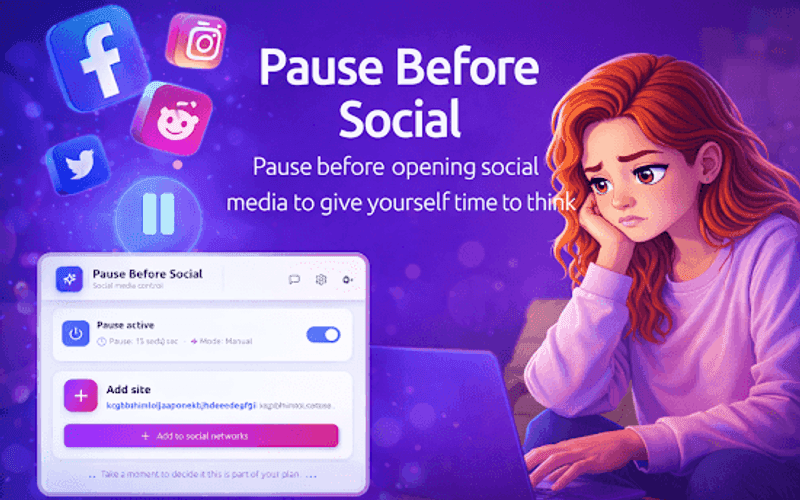
Limit Social Media promotional banner with pause timer popup and social network icons

About This Extension

Limit Social Media is a lightweight productivity extension for Chrome that shows a short pause with a countdown timer before selected social media websites open.

Instead of opening social media automatically out of habit, the extension creates a brief moment of reflection. This small pause helps you decide whether you really want to continue - reducing mindless scrolling without fully blocking access.

Why choose Limit Social Media?

  • Countdown pause: See a short timer before Facebook, Instagram, TikTok, X, and other sites you choose open.
  • Mindful, not strict: Not a hard blocker - a friction point that helps you make a conscious choice.
  • Custom site list: Add social networks, adjust pause duration, and switch between manual and auto modes.
  • Lightweight design: Works automatically once enabled and stays simple, fast, and unobtrusive.
  • Privacy-first: No personal data collection, no third-party sharing, and no analytics or tracking.

Install Limit Social Media in Chrome, enable the pause, and build healthier browsing habits with a few seconds to think before you scroll.

Discover similar extensions that might interest you

About Limit Social Media

What is this extension?

Pause before opening social media in Chrome. A short countdown helps you think twice, scroll less, and browse more intentionally.

Key Features

This extension provides a range of features designed to improve your productivity and browsing experience. Whether you're looking to enhance functionality, improve security, or add new capabilities to your browser, Limit Social Media has you covered.

How to Install

Installing this extension is quick and easy. Simply click the 'Install Extension' button above, and the extension will be added to your browser automatically. You can start using it right away.

All extensions in our collection are safe to install and have been reviewed for quality and security. You can manage your installed extensions through Chrome's extension management page.

Frequently Asked Questions

What is Limit Social Media?

Pause before opening social media in Chrome. A short countdown helps you think twice, scroll less, and browse more intentionally.

Is Limit Social Media free?

Yes. Limit Social Media is free to install (price: $0). Use the Install Extension button on https://addonup.com/extensions/limit-social-media to add it from the Chrome Web Store or Microsoft Edge Add-ons store.

How do I install Limit Social Media?

Open https://addonup.com/extensions/limit-social-media, click Install Extension, and confirm in your browser. The extension is added to Chrome or Edge after store approval.

What category is Limit Social Media in?

Limit Social Media is listed in the Productivity & Focus category on AddonUp.