
Extension List Exporter icon

Extension List Exporter - Productivity & Focus

Extension List Exporter for Chrome: export extension names and URLs in multiple formats. Quick backup and easy sharing.

2025
Launched
Verified & Safe to Install
addonup.com/extensions/extension-list-exporter
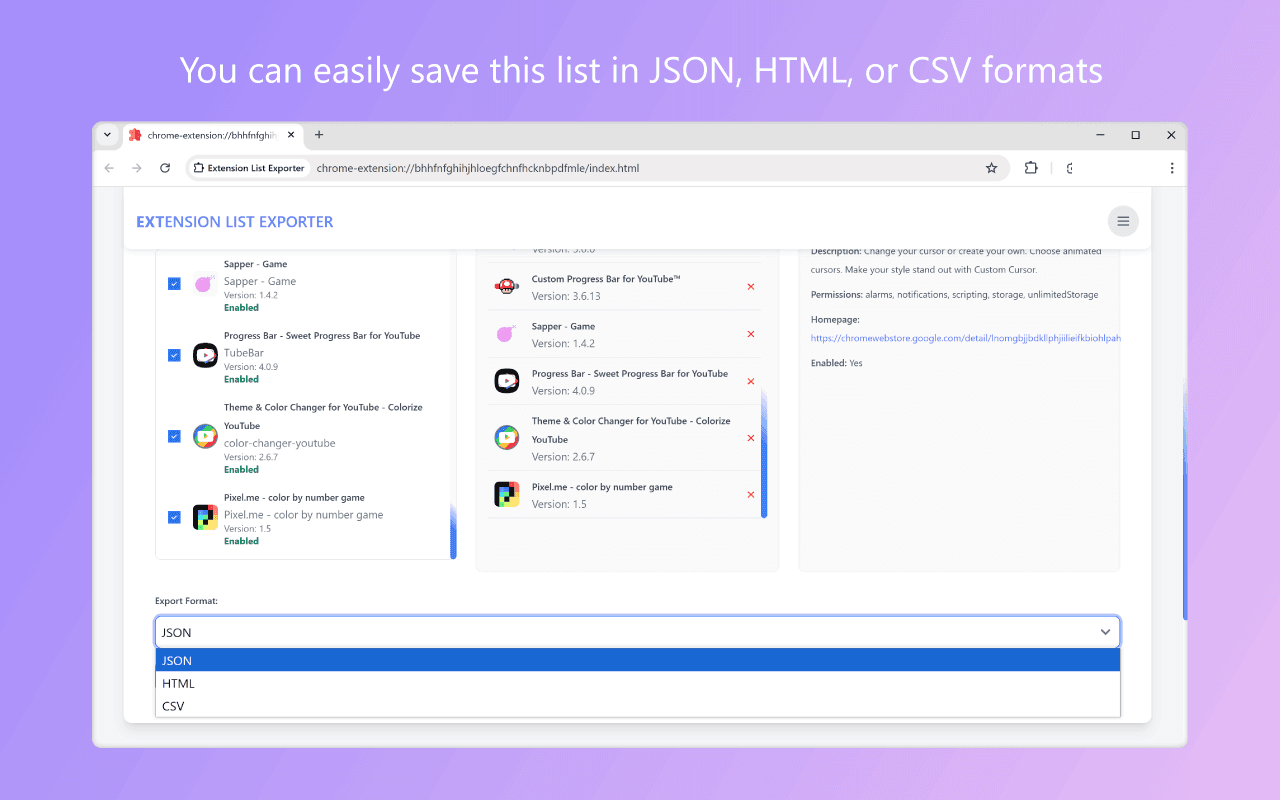
Extension List Exporter screenshot

About This Extension

Extension List Exporter

Quickly export the names and URLs of all your installed Chrome extensions with just a few clicks!

This useful tool allows you to generate a comprehensive list of your extensions, including details like name, version, store link, permissions, and more.

You can conveniently save this list in JSON, HTML, or CSV formats, making it perfect for backup, analysis, or easy access to your extensions.

It supports exporting both enabled and disabled extensions.
Discover similar extensions that might interest you

About Extension List Exporter

What is this extension?

Extension List Exporter for Chrome: export extension names and URLs in multiple formats. Quick backup and easy sharing.

Key Features

This extension provides a range of features designed to improve your productivity and browsing experience. Whether you're looking to enhance functionality, improve security, or add new capabilities to your browser, Extension List Exporter has you covered.

How to Install

Installing this extension is quick and easy. Simply click the 'Install Extension' button above, and the extension will be added to your browser automatically. You can start using it right away.

All extensions in our collection are safe to install and have been reviewed for quality and security. You can manage your installed extensions through Chrome's extension management page.

Frequently Asked Questions

What is Extension List Exporter?

Extension List Exporter for Chrome: export extension names and URLs in multiple formats. Quick backup and easy sharing.

Is Extension List Exporter free?

Yes. Extension List Exporter is free to install (price: $0). Use the Install Extension button on https://addonup.com/extensions/extension-list-exporter to add it from the Chrome Web Store or Microsoft Edge Add-ons store.

How do I install Extension List Exporter?

Open https://addonup.com/extensions/extension-list-exporter, click Install Extension, and confirm in your browser. The extension is added to Chrome or Edge after store approval.

What category is Extension List Exporter in?

Extension List Exporter is listed in the Productivity & Focus category on AddonUp.