Google Docs Dark Mode 2025 icon

Google Docs Dark Mode 2025

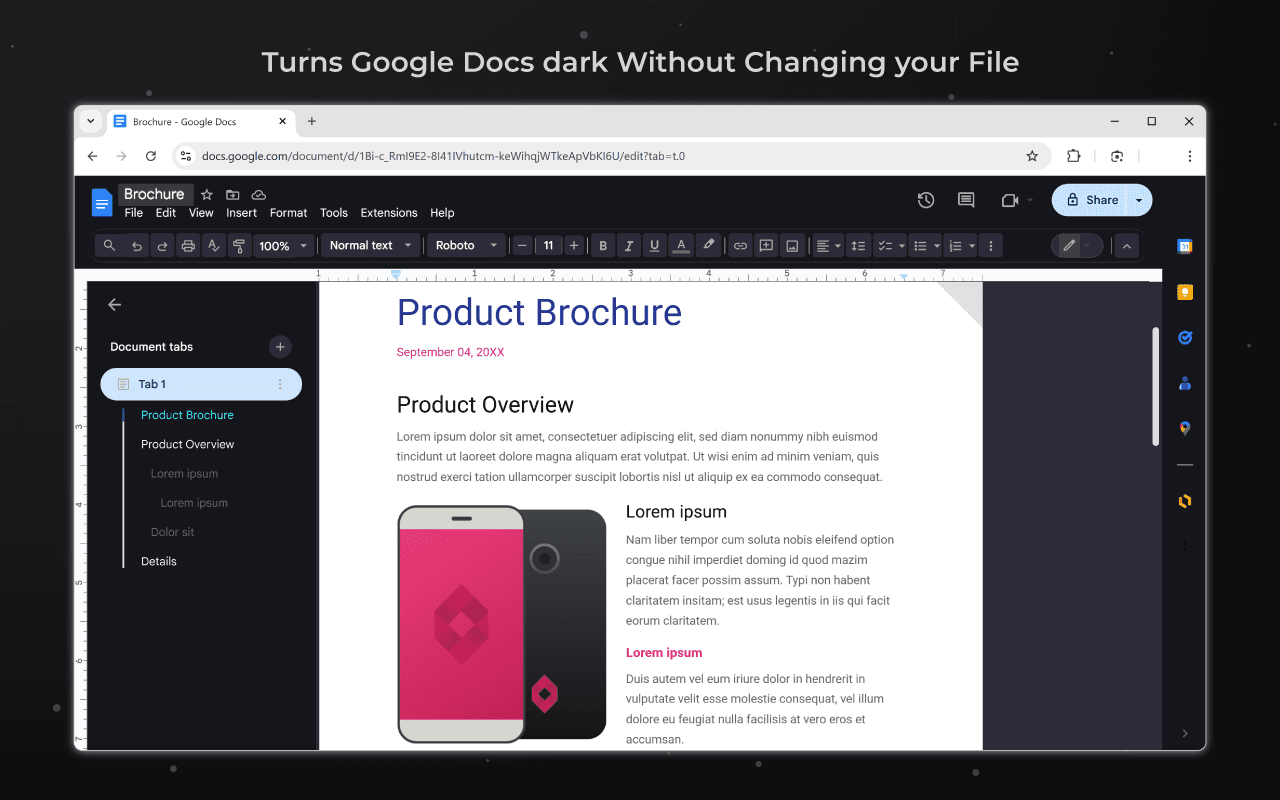
Turns Google Docs dark without changing your file. Made in hours so my eyes stop bleeding from bright docs

Verified & Safe to Install
addonup.com/extensions/google-docs-dark-mode-2025
Google Docs Dark Mode 2025 screenshot

About This Extension

Google Docs Dark Mode 2025

Turns Google Docs dark without changing your file. Made in hours so my eyes stop bleeding from bright docs

Google Docs Dark Mode is a simple yet effective browser extension that adds a dark theme to the Google Docs interface without changing the document itself or its content. Your text will remain white on white for everyone else, and you will see it in a dark, eye-friendly mode.

The extension was created in a few hours with one goal in mind: to reduce eye strain when working with documents for long periods of time, especially at night. No more "blinding" white screens - just a clean, pleasant interface.

Perfect for students, developers, writers, and anyone who works with Google Docs every day. Turn the dark theme on or off with one click. No ads, no data collection, no frills - just the dark mode you were missing.


More Outils Extensions

Discover more extensions from the same category

About Google Docs Dark Mode 2025

Qu'est-ce que cette extension ?

Turns Google Docs dark without changing your file. Made in hours so my eyes stop bleeding from bright docs

Caractéristiques Principales

This extension provides a range of features designed to improve your productivity and browsing experience. Whether you're looking to enhance functionality, improve security, or add new capabilities to your browser, Google Docs Dark Mode 2025 has you covered.

Comment Installer

Installer cette extension est rapide et facile. Cliquez simplement sur le bouton 'Installer l'Extension' ci-dessus, et l'extension sera ajoutée à votre navigateur automatiquement. Vous pouvez commencer à l'utiliser immédiatement.

Toutes les extensions de notre collection sont sûres à installer et ont été examinées pour la qualité et la sécurité. Vous pouvez gérer vos extensions installées via la page de gestion des extensions de Chrome.

Catégories populaires :