Cursor Gradient icon

Cursor Gradient

Custom Cursor Gradient is a Chrome extension that lets you customize your mouse cursor while browsing web pages

Verified & Safe to Install
addonup.com/extensions/cursor-gradient
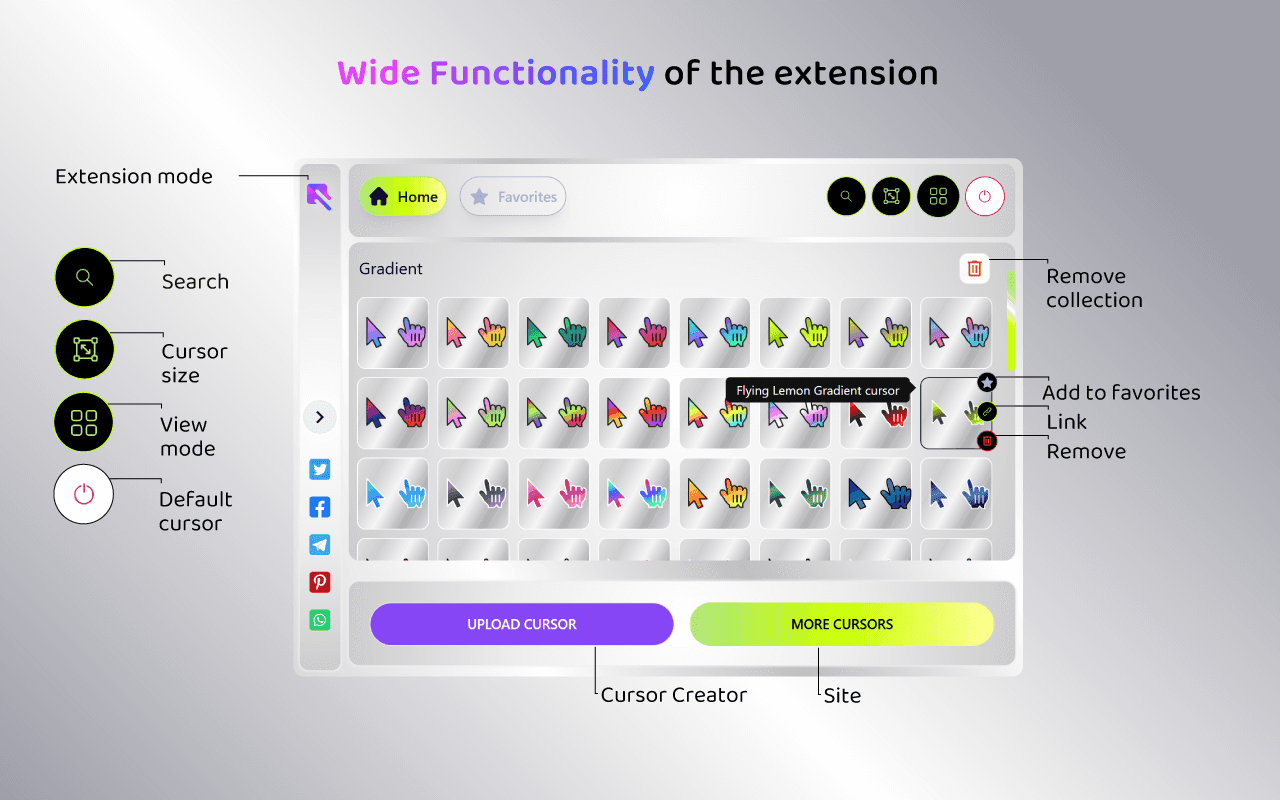
Cursor Gradient screenshot

About This Extension

Upgrade your browsing experience with this custom cursor for Chrome extension and turn your regular cursor into something unique, creative, and fun. If the default mouse cursor feels boring, this extension is the perfect way to personalize Chrome in seconds.

With custom cursor, you can switch between designs anytime you want - there are no limits, no complicated settings, and no learning curve.

Why choose this custom cursor for Chrome?

  1. Instantly change your cursor with a single click
  2. Large collection of creative, stylish, and funny cursor designs
  3. Unlimited switching - change your custom cursor as often as you like
  4. Lightweight and fast custom cursor for Chrome extension
  5. Works smoothly on all Chrome tabs

How to use

  • Click the extension icon in the Chrome toolbar
  • Browse the available cursor designs
  • Select any design you like
  • Your custom cursor will apply instantly

Restore the default cursor

  • Сlick the Remove button in the extension menu
  • Your standard Chrome cursor will be restored immediately

How to uninstall

  • Right-click the extension icon
  • Select "Remove from Chrome"
  • The custom cursor for Chrome extension will be fully removed

Discover similar extensions that might interest you

More Just for Fun Extensions

Discover more extensions from the same category

About Cursor Gradient

What is this extension?

Custom Cursor Gradient is a Chrome extension that lets you customize your mouse cursor while browsing web pages

Key Features

This extension provides a range of features designed to improve your productivity and browsing experience. Whether you're looking to enhance functionality, improve security, or add new capabilities to your browser, Cursor Gradient has you covered.

How to Install

Installing this extension is quick and easy. Simply click the 'Install Extension' button above, and the extension will be added to your browser automatically. You can start using it right away.

All extensions in our collection are safe to install and have been reviewed for quality and security. You can manage your installed extensions through Chrome's extension management page.

Popular categories: