Google Docs Dark Mode 2025 icon

Google Docs Dark Mode 2025

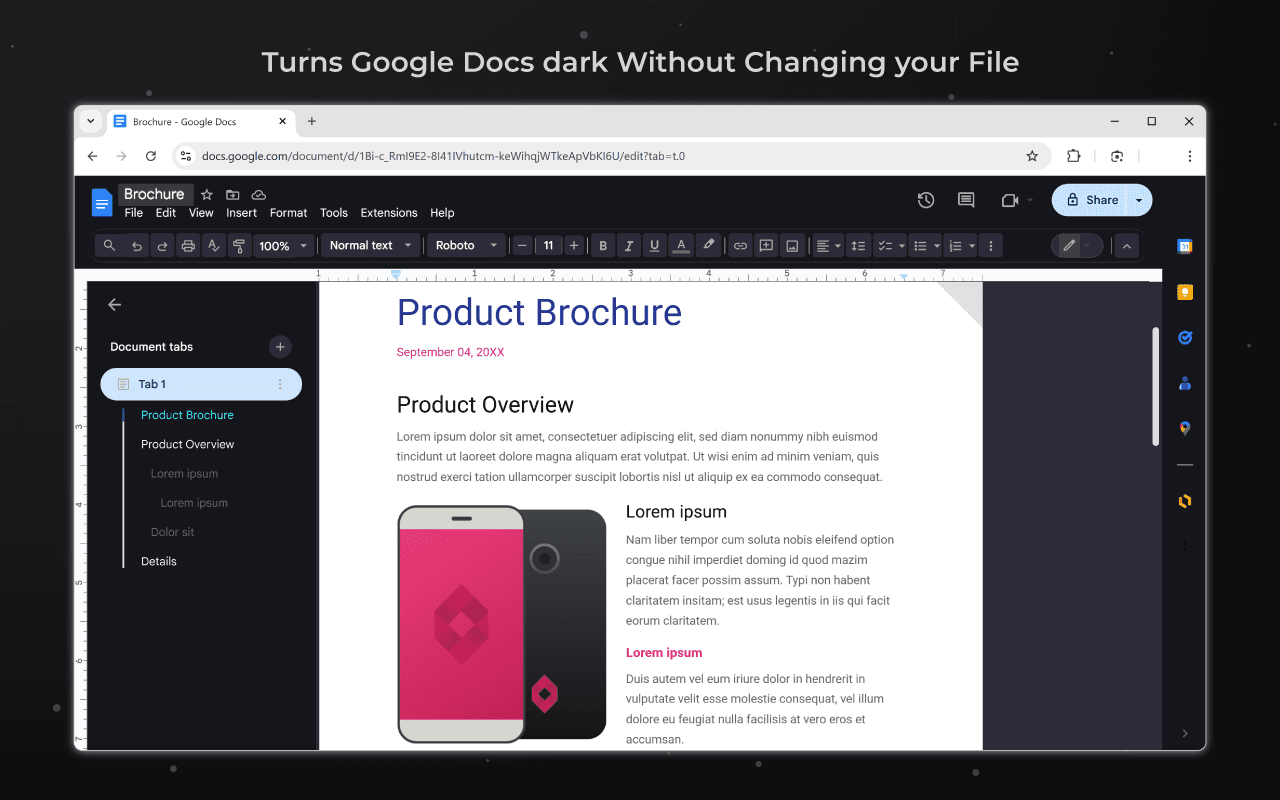
Turns Google Docs dark without changing your file. Made in hours so my eyes stop bleeding from bright docs

Verified & Safe to Install
addonup.com/extensions/google-docs-dark-mode-2025
Google Docs Dark Mode 2025 screenshot

About This Extension

Google Docs Dark Mode 2025

Turns Google Docs dark without changing your file. Made in hours so my eyes stop bleeding from bright docs

Google Docs Dark Mode is a simple yet effective browser extension that adds a dark theme to the Google Docs interface without changing the document itself or its content. Your text will remain white on white for everyone else, and you will see it in a dark, eye-friendly mode.

The extension was created in a few hours with one goal in mind: to reduce eye strain when working with documents for long periods of time, especially at night. No more "blinding" white screens - just a clean, pleasant interface.

Perfect for students, developers, writers, and anyone who works with Google Docs every day. Turn the dark theme on or off with one click. No ads, no data collection, no frills - just the dark mode you were missing.


More Інструменти Extensions

Discover more extensions from the same category

About Google Docs Dark Mode 2025

Що це за розширення?

Turns Google Docs dark without changing your file. Made in hours so my eyes stop bleeding from bright docs

Ключові Функції

This extension provides a range of features designed to improve your productivity and browsing experience. Whether you're looking to enhance functionality, improve security, or add new capabilities to your browser, Google Docs Dark Mode 2025 has you covered.

Як Встановити

Встановлення цього розширення швидке та просте. Просто натисніть кнопку 'Встановити Розширення' вище, і розширення буде автоматично додано до вашого браузера. Ви можете почати використовувати його одразу.

Всі розширення в нашій колекції безпечні для встановлення та були перевірені на якість та безпеку. Ви можете керувати встановленими розширеннями через сторінку керування розширеннями Chrome.

Популярні категорії: