Yellow Volume Booster Chrome extension icon

Yellow Volume Booster - Audio & Volume

Boost browser tab volume up to 600% in Chrome. Free sound amplifier for YouTube, music, podcasts, and video when 100% is too quiet.

2026
Launched
Verified & Safe to Install
addonup.com/extensions/yellow-volume-booster
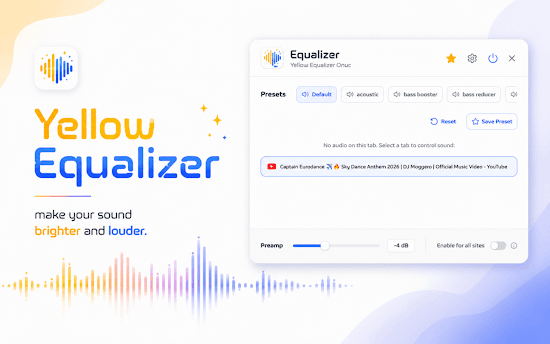
Yellow Volume Booster popup with volume slider and tab audio list

About This Extension

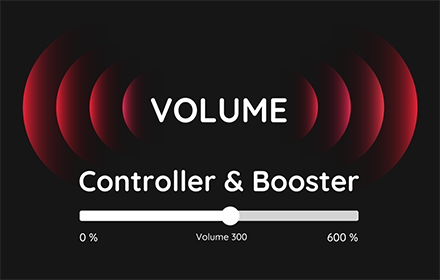
Yellow Volume Booster amplifies audio from the active browser tab when built-in volume is not loud enough. Boost tab sound beyond 100% - up to 600% - for YouTube, Spotify, podcasts, streaming video, and online courses.

Unlike system-wide volume controls, Yellow Volume Booster works on the current tab only. Each tab remembers its own level, with a simple slider, plus and minus buttons, and a list of tabs playing sound.

Why choose Yellow Volume Booster?

  • Up to 600% boost: Make quiet laptop speakers, lectures, and streams loud enough without changing OS volume.
  • Per-tab control: Adjust volume independently for each tab and switch between playing tabs quickly.
  • Works everywhere: Boost audio on YouTube, music players, video sites, and any web app that plays sound.
  • Simple yellow UI: Pin the extension, open the popup, and slide to the level you need in seconds.
  • Private and free: No account, subscription, or ads - volume levels are stored locally on your device.

Install Yellow Volume Booster in Chrome, pin it to the toolbar, and hear every video and track clearly - even on quiet built-in speakers.

About Yellow Volume Booster

What is this extension?

Boost browser tab volume up to 600% in Chrome. Free sound amplifier for YouTube, music, podcasts, and video when 100% is too quiet.

Key Features

This extension provides a range of features designed to improve your productivity and browsing experience. Whether you're looking to enhance functionality, improve security, or add new capabilities to your browser, Yellow Volume Booster has you covered.

How to Install

Installing this extension is quick and easy. Simply click the 'Install Extension' button above, and the extension will be added to your browser automatically. You can start using it right away.

All extensions in our collection are safe to install and have been reviewed for quality and security. You can manage your installed extensions through Chrome's extension management page.

Frequently Asked Questions

What is Yellow Volume Booster?

Boost browser tab volume up to 600% in Chrome. Free sound amplifier for YouTube, music, podcasts, and video when 100% is too quiet.

Is Yellow Volume Booster free?

Yes. Yellow Volume Booster is free to install (price: $0). Use the Install Extension button on https://addonup.com/extensions/yellow-volume-booster to add it from the Chrome Web Store or Microsoft Edge Add-ons store.

How do I install Yellow Volume Booster?

Open https://addonup.com/extensions/yellow-volume-booster, click Install Extension, and confirm in your browser. The extension is added to Chrome or Edge after store approval.

What category is Yellow Volume Booster in?

Yellow Volume Booster is listed in the Audio & Volume category on AddonUp.